Import QBO into Microsoft Money: convert QBO to OFX
Microsoft Money imports OFX and QIF files. Convert your QBO file to OFX first, then import it. Read the full Microsoft Money import guide.
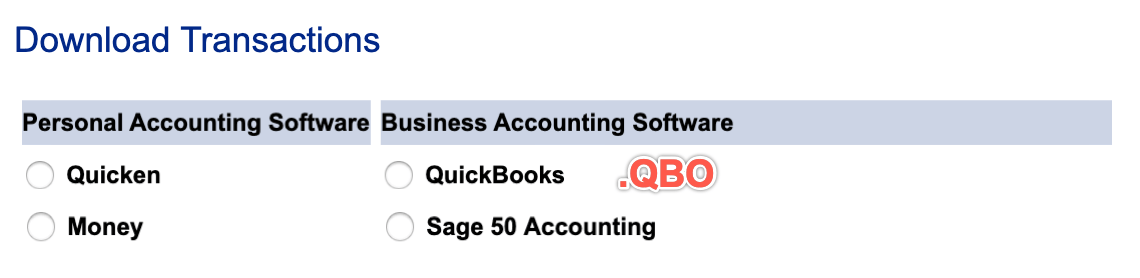
What is a QBO file
QBO is OFX with extra fields for QuickBooks, so the date, amount, payee, memo and transaction ID all carry over. Convert it when you need another format for your app or version. Check the account type, and that credit card amounts have the signs you expect.
What is an OFX file
OFX (Open Financial Exchange) is a standard format for bank data. Many accounting apps import it. It holds the date, amount, payee, memo, check number and a transaction ID, along with the account ID and type. More about OFX.
Why convert QBO to OFX
QBO is OFX with extra fields for QuickBooks, so other apps may refuse it. OFX is the most widely accepted bank format, with named fields and a transaction ID on each row, so an app can skip rows it already has.
Before you import: back up Microsoft Money
Back up your Money file before you import any file, so you can restore it if the transactions come in wrong.
Step by step: convert QBO to OFX
- Download, install and start ProperConvert. The trial is free.
- Open your QBO file.
- Review the transactions to see how the app read your file. Check that the dates are correct, and that expenses are negative and deposits (payments to the account) are positive. The "Change +/-" button reverses the signs for the whole file, for bank and credit card accounts alike.
- Set the OFX settings below.
- Click Convert, then confirm the file name and location.
Set the OFX output settings
In the QBO/QFX/OFX tab on the right sidebar, set the file type to OFX and choose the OFX target for your app, then set:
- Account ID: digits only. Use the same number for every file of one account and a different number for each account.
- Account type: adjust it when you switch accounts.
- Currency, Bank ID and Branch ID: some apps check these and refuse a file that doesn't match, so set them to match your app. See all OFX settings.
Import the OFX file into Microsoft Money
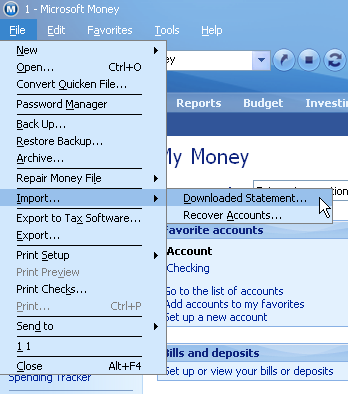
- Start Money and select File > Import > Downloaded Statement.
- In the file dialog, select All Files as the file type if the file isn't listed.
- Select the OFX file and open it.
- Review the imported transactions.
See the Microsoft Money import guide for more.
Microsoft Money OFX questions
OFX or QIF for Microsoft Money?
OFX is the preferred format, because transactions are stored in a fixed, standard way. It also carries a transaction ID, which lets Money skip transactions you already imported. QIF doesn't have one.
Does my Money version need its own OFX file?
Yes. Money has US and non-US versions and older versions (99, 2000), and each expects its own OFX variant. Select the matching option in the OFX output settings.
Related Microsoft Money conversions
- Import PDF into Microsoft Money: convert PDF to OFX
- Import CSV or Excel into Microsoft Money: convert CSV or Excel to OFX
- Import QFX into Microsoft Money: convert QFX to OFX
- Import QBO into Microsoft Money: convert QBO to QIF
- Import QIF into Microsoft Money: convert QIF to OFX
- Import MT940 into Microsoft Money: convert MT940 to OFX