Import QBO into Banktivity: convert QBO to QIF
Banktivity imports QIF files. Convert your QBO file to QIF first, then import it. Read the full Banktivity import guide.

What is a QBO file
QBO is OFX with extra fields for QuickBooks, so the date, amount, payee, memo and transaction ID all carry over. Convert it when you need another format for your app or version. Check the account type, and that credit card amounts have the signs you expect.
What is a QIF file
QIF is an older plain text format for transactions, with a line for each date, amount, payee, memo, check number and category. It has no transaction IDs and no currency. More about QIF.
Why convert QBO to QIF
QBO is OFX with extra fields for QuickBooks, so other apps may refuse it. QIF is a plain text format that apps without OFX support often import, and it can carry categories. It has no transaction IDs, so import each period only once.
Before you import: back up Banktivity
Back up your Banktivity data before you import, so you can restore it if the transactions come in wrong.
Step by step: convert QBO to QIF
- Download, install and start ProperConvert. The trial is free.
- Open your QBO file.
- Review the transactions to see how the app read your file. Check that the dates are correct, and that expenses are negative and deposits (payments to the account) are positive. The "Change +/-" button reverses the signs for the whole file, for bank and credit card accounts alike.
- Set the QIF settings below.
- Click Convert, then confirm the file name and location.
Set the QIF output settings
In the QIF tab on the right sidebar, set:
- QIF target: Banktivity.
- Account type: Bank for checking and savings, CCard for credit cards.
- Account name: exactly as it appears in Banktivity. If no account with that name exists, Banktivity creates a new one.
See all QIF settings.
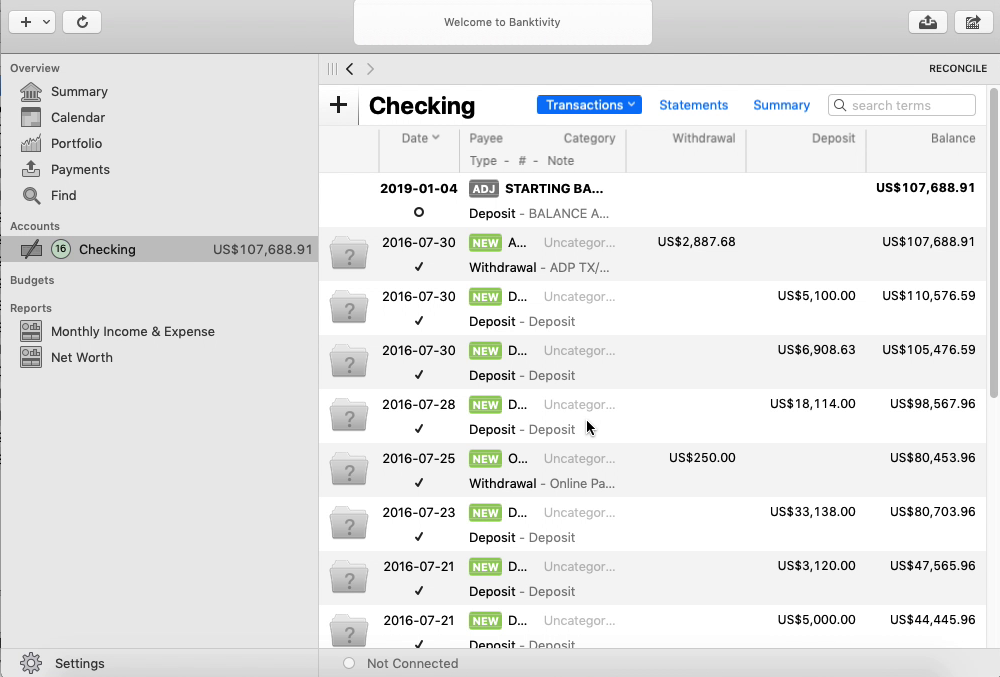
Import the QIF file into Banktivity
- Select File, then Import Transactions.
- Click Import File and select the QIF file.
- Select the account from the QIF file to import.
- Click Continue.
- Review the transactions, then categorize or delete them as needed.
See the Banktivity import guide for more.
Banktivity QIF questions
Which account do the transactions go into?
Banktivity imports straight into the account named in the QIF file, without asking. If no account with that name exists, Banktivity creates a new one.